
Royal EX Casino Game Download App and Complete Guide
Just Now
32MB
V1.1.13
AndroidAbove5+
10K+

Description
Online gaming has become a popular form of digital entertainment because people can explore different activities through smartphones and computers. Modern gaming platforms are designed with different sections, account options, and interactive features to make navigation easier for users. Many people search for new gaming applications to learn about their services, registration process, payment options, and mobile compatibility.
ROYAL EX CASINO Game is a name that users may encounter while exploring online gaming platforms. Before accessing any unfamiliar service, it is important to understand how its features work, what information is required, and which safety precautions should be followed. A little research can help beginners avoid unnecessary confusion and make more informed decisions.
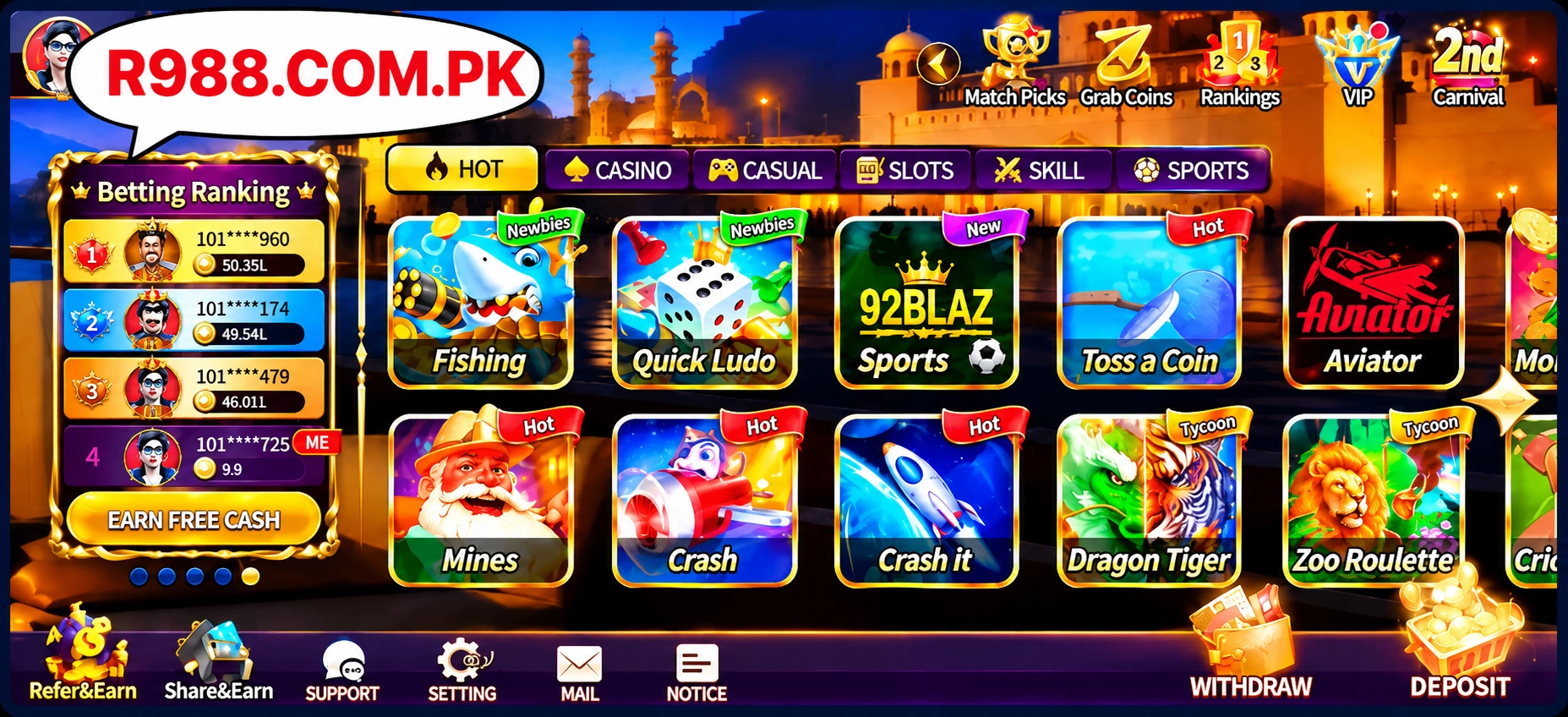
This article provides a detailed overview of the platform’s general gaming experience, account management, installation considerations, registration instructions, and other important topics. It also discusses payment safety, promotional conditions, privacy, and responsible gaming practices.
The purpose of this guide is to explain everything in straightforward English. Readers should remember that online gaming involving real money can result in financial losses. No platform can guarantee winnings or provide a reliable source of income. Always check the official website, local laws, and complete service conditions before participating.
What Is ROYAL EX CASINO Game?
ROYAL EX CASINO Game is a platform name associated with online gaming searches. People interested in this type of service generally want to understand its interface, available gaming categories, account features, and mobile access options.
An online gaming platform normally brings different sections together in one digital environment. Depending on the actual services offered, visitors may find a homepage, game categories, account dashboard, promotional information, support section, and profile settings.
For new visitors, understanding the basic structure is more important than immediately exploring every available option. A clear interface can make navigation easier, but users should never assume that a platform is trustworthy simply because its website looks professional.
Before creating an account, visitors should check the following information:
- The official website address.
- The identity of the platform operator.
- The developer information for mobile applications.
- The privacy policy and terms of service.
- The minimum age requirement.
- The availability of customer support.
- The legal status of the service in their location.
- The conditions connected with payments and promotions.
These checks are useful because unrelated websites can sometimes use similar names, designs, or promotional material.
Main Features of the Platform
A gaming platform can provide different features to organize its services and improve navigation. The exact features available depend on the official version and the operator’s current policies.
The following sections explain common features that users may want to examine before choosing an online gaming service.
Simple Homepage Design
The homepage is normally the first section visitors see when opening a website or application. Its layout can help users understand where different services are located.
A properly arranged homepage may include navigation menus, account access, gaming categories, promotional announcements, and support information.
Simple menus are particularly useful for beginners because they reduce the time needed to locate important sections.
Visitors should pay attention to the quality of the information presented on the homepage. Important conditions should be explained clearly rather than hidden behind unnecessary advertisements.
Different Gaming Categories
Variety is one reason people explore online gaming platforms. Different categories may offer different entertainment styles and rules.
Some platforms organize their activities according to game type, theme, or playing method. This structure helps visitors compare available options before selecting anything.
Users should always read the instructions for each activity. Understanding the rules is important because different games can have different requirements and outcomes.
If an activity involves real money, participants should understand the possibility of losing their funds.
Mobile-Friendly Interface
Smartphones are widely used for browsing websites and accessing online services. A mobile-friendly design makes it easier to read information and navigate menus on smaller screens.
A responsive interface should adjust to different screen sizes without making important text difficult to understand.
Users should check whether the website works correctly on their devices. They should also avoid applications that request unnecessary permissions.
Account Dashboard
An account dashboard provides a central place for managing personal account information.
Depending on the service, it may include profile details, settings, account activity, transaction records, and available support options.
A useful dashboard should display information clearly and make important account controls easy to locate.
Users should review their account information regularly and report unfamiliar activity through verified support channels.
Profile Management
Profile management allows users to review and update certain account details.
Common profile options may include contact information, password settings, notification preferences, and account verification status.
Personal information should always be handled carefully. Do not provide unnecessary documents or sensitive details to an unverified website.
Customer Support Information
Customer support can help visitors understand account procedures and technical issues.
Before using an online platform, check whether it provides genuine contact information and clear assistance instructions.
A trustworthy support process should not require users to disclose their passwords, banking PINs, or one-time verification codes.
Promotional Information
Some gaming platforms publish information about introductory promotions, seasonal campaigns, or referral programs.
These offers can have specific eligibility rules and limitations. Users should read the complete conditions instead of relying on short promotional messages.
A promotional reward should never be treated as guaranteed money.
Account Security
Security is an important part of every online service.
Users should look for clear account protection instructions and available verification options.
A strong password, careful browsing habits, and updated devices can help reduce common security risks.
Game Instructions
Clear instructions help users understand how an activity works.
Before starting a new game, review its rules, controls, possible outcomes, and any financial conditions.
Never assume that all activities follow the same rules.
Regular Information Updates
Online platforms may change their menus, application versions, payment policies, and promotional conditions.
Updated information helps visitors understand the current services.
Always check the official source before following an older installation guide or payment instruction.
How to Access the Official Website
Finding the correct website is an important first step when exploring an online service.
Search results may display multiple pages with similar names. Some may be promotional websites, independent review pages, or unrelated services.
Follow these general checks before accessing an account:
- Confirm the complete website address.
- Check whether the domain belongs to the actual operator.
- Look for a privacy policy.
- Review the terms and conditions.
- Check the available contact information.
- Avoid pages with suspicious advertisements.
- Do not enter account details through unknown links.
A secure connection is useful, but HTTPS alone does not prove that a website is genuine.
For this reason, users should verify the operator’s identity instead of relying only on the appearance of a website.
How to Download the Mobile Application
Some online gaming services provide applications for mobile devices. Others operate through mobile browsers without requiring a separate installation.
If an official application is available, users should confirm its source before downloading it.
Find the Verified Source
Open the platform’s independently verified official website or its authorized application store listing.
Do not download files from unknown websites or links shared through random messages.
Check Application Information
Review the application name, developer details, version information, and permissions.
These details can help identify suspicious files that imitate genuine applications.
Review Device Compatibility
Check whether your smartphone supports the application.
Important details may include the operating system version, available storage, and device requirements.
Download the File
If the application is available through an official store, use that source whenever possible.
If an APK is offered, verify that the download page is authorized before proceeding.
Scan the File
Use reliable mobile security software to check downloaded files.
Do not ignore warnings from your device without understanding their meaning.
Complete Installation
Follow the normal installation instructions provided by your operating system.
Review the requested permissions before opening the application.
Check the Application
After installation, confirm that the developer and application information match the details published by the official operator.
If anything looks unusual, stop using the application.
Installation Guide for Android Users
Android devices support applications from different sources, but this flexibility also means users must be careful about file security.
The general installation process is explained below.
First: locate the downloaded application file in your phone’s Downloads folder.
Second: check its name and source. Do not install a file if you cannot verify where it came from.
Third: scan the file with reliable security software.
Fourth: review any installation warning displayed by Android.
Fifth: check the permissions requested by the application.
Finally: complete the installation only when the source and application details are trustworthy.
If the file requires unusual access to contacts, messages, or other private information, reconsider installing it.
An application should not need unnecessary permissions simply to provide basic gaming services.
Installation Guide for iPhone Users
iPhone users should check whether an official version is available through Apple’s App Store.
The App Store listing can provide important information about the developer, application description, privacy details, and compatibility.
Before installing an application:
- Confirm the developer’s identity.
- Read recent user reviews.
- Check the privacy information.
- Review the supported iOS version.
- Understand the requested permissions.
Avoid unofficial configuration profiles and unknown installation methods.
If an official iOS application is unavailable, users should not assume that an unrelated application with a similar name is genuine.
How to Register a New Account
Registration is an important process for account-based online services.
Before signing up, users should read the platform’s rules, privacy policy, and eligibility requirements.
The general registration process may involve the following steps:
Open the Registration Page
Visit the verified official website or application.
Locate the registration or sign-up option.
Enter Required Details
Complete the fields requested by the platform.
Depending on its registration system, this may include a username, mobile number, or email address.
Only provide information that is genuinely required.
Create a Password
Choose a strong password that is not used on other websites.
A combination of letters, numbers, and special characters can make a password harder to guess.
Review Your Information
Check the information entered before submitting the registration form.
Incorrect details may cause problems during account verification or recovery.
Complete Verification
If the service provides an official verification process, follow its instructions.
Never share a verification code with another person.
Read the Account Rules
Review the account conditions before accessing any additional services.
Registration should not be completed if the platform’s ownership, privacy practices, or legal status cannot be established.
How to Login to an Existing Account
After completing registration, users may access their accounts through the official login page.
The general process is simple:
- Open the verified website or application.
- Select the login option.
- Enter the registered username, number, or email.
- Type your password.
- Complete additional verification if requested.
- Access the account dashboard.
If the login attempt fails, check your spelling and internet connection.
Do not repeatedly enter passwords through suspicious pages. A fake login page can collect account credentials.
Always confirm the website address before entering private information.
Password Recovery Process
Forgetting a password can prevent users from accessing their accounts.
Many online services provide a recovery option to help users regain access.
A typical recovery process works as follows:
- Open the official login page.
- Select the password recovery option.
- Enter the registered contact information.
- Follow the verification instructions.
- Create a new password.
- Log in using the updated details.
If the recovery message does not arrive, check the registered email address or phone number.
Also review your spam folder if email verification is being used.
Never provide recovery codes to people claiming to offer unofficial account assistance.
Understanding the Account Dashboard
The dashboard is an important part of an account-based platform.
It brings different account controls together and helps users locate important information.
A dashboard may contain several sections.
Profile Section
This area may display basic account details and available profile settings.
Users should confirm that their information is accurate and avoid sharing private profile screenshots publicly.
Gaming Section
This area may organize the available entertainment categories.
Read the rules and instructions before choosing an activity.
Account History
Some services provide a record of previous account actions.
Reviewing this information may help users identify unfamiliar activity.
Wallet Section
If financial account services are available, the wallet may display relevant balance information and transaction records.
Users should understand the difference between promotional credits and withdrawable funds.
Settings Section
Settings may include password changes, notifications, language preferences, and other account controls.
Review these options to understand how the account works.
Help Section
The help area may provide instructions for common account questions and technical problems.
Use independently verified support details whenever assistance is required.
Bonuses and Promotional Offers
Promotional campaigns are common in online gaming. They may be used to introduce a platform, explain its services, or encourage users to explore particular features.
However, not every advertised promotion is automatically beneficial.
Users should understand the conditions before accepting an offer.
Welcome Promotions
- A welcome promotion may be advertised to people who are new to a platform.
- Its conditions may include registration requirements, eligibility restrictions, or additional terms.
- Read the complete offer information before accepting it.
Referral Programs
- Some services provide referral systems that allow users to invite other people.
- Rewards, if offered, may depend on specific conditions.
- Do not send misleading invitations or promise guaranteed earnings to friends.
Seasonal Campaigns
- Seasonal promotions may be connected with holidays, special occasions, or limited-time events.
- Check the starting date, expiry date, and eligibility requirements.
Loyalty Offers
- Some platforms organize loyalty campaigns for returning visitors.
- These may have separate requirements and may not be available to every account.
Important Promotional Conditions
Before using any offer, check:
- Whether registration is required.
- Whether a payment is required.
- Which users are eligible.
- Whether the offer has an expiry date.
- Whether usage restrictions apply.
- Whether withdrawal conditions exist.
- Whether the promotion can be cancelled.
Never pay an unknown person to activate a supposed bonus.
VIP Membership and User Levels
1.VIP membership is a term sometimes used by online platforms to describe different account levels.
2.These systems may be based on membership status, account activity, or other conditions.
3.The actual benefits depend on the operator’s published rules.
Membership Levels
1.Some services organize users into different categories.
2.Each level may have its own conditions and eligibility requirements.
3.Users should understand how these levels work before participating.
VIP Benefits
1.Promotional material may mention priority assistance, special campaigns, or additional account features.
2.However, these benefits should not be assumed to exist unless they are clearly described in the official terms.
Membership Requirements
1.A platform may apply account activity, payment, or other requirements to certain membership levels.
2.Read these conditions carefully before spending money.
Responsible Membership Decisions
1.Do not upgrade simply because a promotion creates urgency.
2.A paid membership should never interfere with essential expenses or personal financial responsibilities.
Deposit and Withdrawal Information
1.Payment arrangements are an important subject when reviewing an online gaming platform.
2.Some services may provide digital payment options, while others may use different transaction systems.
3.The availability of any payment method must be confirmed through official information.
Understanding Deposits
A deposit refers to transferring money into an account.
Before making a deposit, users should review the platform’s payment rules.
Important details include:
- Minimum transaction amount.
- Maximum transaction amount.
- Accepted payment methods.
- Processing charges.
- Account verification rules.
- Refund conditions.
- Transaction confirmation procedures.
Do not transfer money to an account shared by an unknown individual.
Understanding Withdrawals
A withdrawal is a request to transfer eligible account funds to an approved payment method.
The actual process depends on the service’s conditions.
Users should check:
- Minimum withdrawal limits.
- Maximum withdrawal limits.
- Processing periods.
- Identity verification requirements.
- Possible transaction fees.
- Restrictions connected with promotional credits.
A displayed account balance does not automatically mean that the full amount is available for withdrawal.
Transaction Records
Keeping payment records is a useful financial habit.
Save confirmation messages, transaction references, and relevant receipts.
These details may help when discussing a payment problem with an authorized provider.
Payment Security
Never share your banking PIN, mobile wallet PIN, password, or one-time verification code.
A genuine payment service should not ask you to disclose these private security details.
If a payment request seems unusual, stop and independently verify the recipient.
Payment Methods for Pakistani Users
People in Pakistan commonly use digital financial services for everyday transactions.
Depending on the service and its legal availability, users may encounter different payment methods when exploring online platforms.
Mobile Wallet Services
Mobile wallets are used for transferring money and paying for different services.
Before using any wallet for a transaction, confirm whether the payment is permitted and officially supported.
Bank Transfers
Bank transfers provide a way to move money between financial accounts.
Users should verify the recipient’s identity and review the transaction information before confirming a transfer.
Digital Payment Applications
Some services support payment applications or other electronic methods.
Availability depends on the operator, payment provider, and applicable regulations.
Check Payment Requirements
Pakistani users should not assume that JazzCash, Easypaisa, or any particular bank is supported by a platform.
Check the official payment policy before making a transaction.
Never trust an unofficial agent who promises faster deposits or guaranteed withdrawals.
Mobile Access and Device Compatibility
Mobile access is important because many people prefer browsing websites through smartphones.
A mobile-compatible platform should make its content readable and its menus easy to operate.
Before accessing any online gaming service, users should consider the following points.
Screen Compatibility
The website should adjust properly to the phone’s screen size.
Text should remain readable, and navigation controls should be easy to select.
Internet Connection
A stable internet connection helps websites load properly.
If pages are slow, check the network before assuming there is a problem with the platform.
Storage Space
Applications may require free storage for installation and updates.
Check the available space before downloading a new file.
Device Performance
Older smartphones may have difficulty running certain applications.
Review the official compatibility requirements.
Operating System Updates
Keep your Android or iOS software updated.
Security updates can help protect devices from known vulnerabilities.
Desktop and Computer Access
Some online services may also be accessible through desktop browsers.
A computer can provide a larger display, making longer instructions and account information easier to review.
Users should still follow the same security practices used on mobile devices.
Before logging in:
- Confirm the website address.
- Use an updated browser.
- Avoid unknown browser extensions.
- Do not save passwords on shared computers.
- Log out after completing your session.
- Avoid opening suspicious pop-ups.
If a website does not support desktop access, do not install unknown software simply to make it work.
Customer Support and Assistance
Customer support is useful when users encounter account or technical problems.
Before contacting support, identify the issue and collect the information needed to explain it.
Account Access Questions
If you cannot log in, check your account details and use the official recovery process.
Do not send your password to anyone.
Technical Problems
If the website does not load properly, check your internet connection and browser.
You can also restart your device and try again through the verified website.
Payment Questions
For payment-related concerns, keep the transaction reference and confirmation information.
Contact the authorized payment provider or platform support channel.
Account Verification
If verification is required, follow the official instructions.
Do not send personal documents through unknown messaging accounts.
Avoid Fake Support Representatives
Scammers may pretend to represent popular online platforms.
They may ask for money, passwords, or verification codes.
Always confirm the support channel independently before sharing any account-related information.
Common Problems and Their Solutions
Technical problems can happen when accessing online services.
Some issues are related to internet connections, outdated applications, incorrect login information, or device compatibility.
The following suggestions cover common situations.
Website Not Opening
If the website does not open, check your internet connection first.
Try opening another trusted website to determine whether the problem is related to your network.
If other websites work, verify that the address is correct.
Application Not Installing
An application may fail to install because of insufficient storage, device incompatibility, or a damaged file.
Check the system requirements and download source.
Do not install modified files from unknown websites.
Login Information Incorrect
Check the spelling of your username and password.
Make sure the keyboard has not inserted an extra space.
Use the official password recovery process if necessary.
Verification Code Not Received
Confirm that the registered phone number or email address is correct.
Check your message filters and wait for the stated delivery period.
Avoid repeatedly requesting codes.
Slow Application Performance
Close unnecessary background applications.
Check whether your device has sufficient memory and storage.
A stable internet connection may also improve loading performance.
Payment Status Not Updated
Keep the transaction reference and review the processing conditions.
Contact the authorized payment provider if the transaction remains unresolved.
Do not make repeated payments without confirming the status of the original transaction.
Unexpected Account Activity
Change your password through the verified website if you suspect unauthorized access.
Review your account activity and contact official support.
Also secure the email account or phone number connected to the service.
Privacy and Data Protection
Privacy should be considered before joining any online service.
Websites and applications may collect different types of information, depending on their features and privacy policies.
This information may include:
- Account registration details.
- Contact information.
- Device information.
- Technical usage information.
- Transaction records.
- Verification details.
Users should understand how this information is collected and processed.
Read the Privacy Policy
A privacy policy should explain the information collected and how it is used.
Look for details about data storage, sharing, retention, and user rights.
Limit Unnecessary Permissions
An application should not request access to information that is unrelated to its basic functions.
Review permissions before installation.
Use Strong Passwords
Avoid simple passwords based on names, birthdays, or common number combinations.
Use a different password for every important online account.
Avoid Public Devices
Do not access sensitive accounts through public computers whenever possible.
If you must use a shared device, log out and close the browser after finishing.
Protect Financial Information
Keep banking and mobile wallet security codes private.
Never share one-time passwords through calls or messages.
Responsible Gaming Practices
Responsible gaming means treating online gaming as entertainment rather than a way to earn regular income.
Activities involving money can result in losses, even when a platform advertises attractive rewards or promotions.
The following habits can help people maintain better control.
Set a Personal Limit
Decide how much time and money you can comfortably spend before participating.
Never use money reserved for rent, food, education, bills, or other essential expenses.
Avoid Chasing Losses
Trying to recover previous losses by spending more can increase financial problems.
Accept losses and stop when you reach your personal limit.
Take Regular Breaks
Long periods of gaming can affect concentration and daily responsibilities.
Take breaks and maintain a healthy balance between online activities and everyday life.
Do Not Borrow Money
Borrowing money to participate in real-money gaming can create unnecessary financial pressure.
Avoid using credit or loans for this purpose.
Recognize Warning Signs
If gaming starts affecting your sleep, work, education, relationships, or finances, take a break and seek appropriate support.
Follow Local Laws
Always check the legal requirements in your location.
Do not access services that are prohibited or restricted by applicable law.
Important Safety Tips for Beginners
New users should be especially careful when exploring unfamiliar online platforms.
A few simple precautions can prevent many common problems.
- Verify the website before registering.
- Check the operator’s identity.
- Read the privacy policy.
- Understand the account conditions.
- Use a strong password.
- Avoid suspicious download links.
- Review application permissions.
- Never share verification codes.
- Keep transaction records.
- Avoid unofficial payment agents.
- Do not trust guaranteed-winning claims.
- Check local legal restrictions.
- Avoid spending beyond your budget.
- Report suspicious account activity.
- Stop using any service that appears unsafe.
These practices are useful for many types of online services, not only gaming websites.
Advantages and Disadvantages
Every online platform has possible advantages and limitations.
Reviewing both sides can help visitors develop realistic expectations.
Advantages
- Centralized Access: Different account sections may be available through one interface.
- Mobile Compatibility: A responsive website can make browsing easier on smartphones.
- Organized Menus: Clear navigation may help users locate important information.
- Account Management: Profile settings can provide a central place for account controls.
- Online Availability: Web-based services can be accessed through supported browsers.
- Digital Information: Online help sections may explain common procedures.
- Multiple Categories: Different gaming options may provide entertainment variety.
- Updated Content: Official announcements may help users understand service changes.
Disadvantages
- Financial Risk: Real-money gaming can result in losses.
- Verification Requirements: Some account procedures may require additional checks.
- Internet Dependency: Online services require a working connection.
- Security Concerns: Unofficial websites and applications may be dangerous.
- Unclear Conditions: Some promotional offers may have complicated restrictions.
- Legal Limitations: Certain gaming services may not be permitted in every location.
- Payment Delays: Financial transactions may take longer than expected.
- Device Compatibility: Older devices may not support certain applications.
- Privacy Concerns: Users must understand how their information is handled.
- No Guaranteed Results: Gaming outcomes cannot be treated as a reliable income source.
How to Identify an Unofficial Website
Fake websites are a common problem across many online services.
They may copy the appearance of an established platform to collect personal details or request unauthorized payments.
Recognizing warning signs is important.
Similar Domain Names
Fraudulent pages may use addresses that look almost identical to a genuine website.
Check every part of the domain carefully.
Unrealistic Promotions
Promises of guaranteed profits, instant withdrawals, or unusually large rewards should be treated with caution.
Missing Company Information
A website with no clear operator details, privacy policy, or support information may create additional risks.
Suspicious Payment Requests
Be careful if a person asks you to send money to an unrelated personal account.
Unnecessary Personal Information
Avoid providing sensitive information when the reason for collecting it is unclear.
Poorly Explained Rules
A genuine service should make its terms and conditions accessible.
If important payment or account rules are missing, do not proceed until they are clarified.
Comparing Website Access and Mobile Applications
Users may have a choice between browsing a website and installing an application.
Both options can have different advantages.
| Website Access | Mobile Application |
|---|---|
| Opens through a browser | Requires installation |
| Usually does not need separate storage | Uses device storage |
| Can work across supported devices | Depends on operating system |
| Updates may happen on the website | Application updates may be required |
| Browser security settings apply | App permissions should be reviewed |
| Can be convenient for occasional access | May provide a dedicated interface |
Neither option is automatically safer.
The most important factor is whether the source is genuine and whether the service follows appropriate privacy and security practices.
Best Practices for Managing an Online Account
Good account management can help users avoid unnecessary complications.
After creating an account, take time to understand its settings and available controls.
Keep Contact Details Updated
If the service requires contact information, make sure it remains accurate.
This can help with legitimate account recovery procedures.
Review Account Activity
Check the account history when available.
Report transactions or activities that you do not recognize.
Change Weak Passwords
If your password is easy to guess or has been reused elsewhere, replace it with a stronger one.
Avoid Shared Accounts
Do not allow unknown individuals to access your personal account.
Sharing login details can create security and responsibility problems.
Understand Account Restrictions
Some services have specific rules about account closure, inactivity, and verification.
Read these conditions in advance.
Keep Personal Records
Save important account notices and transaction confirmations where appropriate.
Avoid sharing screenshots that contain private details.
Why Beginners Should Read the Terms and Conditions
Terms and conditions explain how a service operates and what users are expected to follow.
Many people skip this section because it appears lengthy. However, reading it can help prevent misunderstandings.
Important subjects may include:
Account eligibility: The minimum age and other requirements for creating an account.
User responsibilities: Rules about account information, passwords, and acceptable use.
Payment conditions: Requirements connected with deposits, withdrawals, and transaction processing.
Promotional rules: Restrictions on bonuses, referral offers, and special campaigns.
Privacy practices: Information about collecting, using, and storing personal data.
Account restrictions: Situations in which access may be limited or suspended.
Dispute procedures: Instructions for raising complaints or resolving disagreements.
Users should not accept terms they do not understand, particularly when real money or sensitive personal information is involved.
FAQs
What is ROYAL EX CASINO Game?
It is an online gaming-related platform name that users may search for when exploring gaming services, mobile access, account registration, and platform information. Its actual features should be confirmed through an authorized source.
Is the platform suitable for beginners?
That depends on its actual interface and available instructions. New visitors should review the menus, account requirements, and rules before using any service.
How can I download the application?
First confirm whether an official application is available. If it is, use an authorized application store or verified download source.
Is an Android version available?
Android compatibility should be checked through the official application information. Do not assume that every APK using a similar name is genuine.
Can I use an iPhone?
Check the official website and Apple App Store to confirm whether an authorized iOS version is available.
How do I create a new account?
If official registration is offered, open the verified registration page, enter the required information, create a strong password, and complete the stated verification process.
What should I do if I forget my password?
Use the official password recovery option. Follow the verification instructions and create a new password that is different from your previous one.
Are different gaming categories available?
The available categories depend on the actual services provided by the operator. Check the official platform for current information.
Does the platform provide bonuses?
Promotional offers may vary. Review their eligibility requirements, expiry dates, and restrictions before accepting any promotion.
What is VIP membership?
VIP membership is a term used by some platforms for different account levels. Actual benefits and requirements must be confirmed through official membership rules.
Can I use JazzCash?
Do not assume that a particular mobile wallet is supported. Check the official payment information and applicable local restrictions before making a transaction.
Is Easypaisa supported?
Payment availability depends on the service and its authorized payment providers. Verify the information through an official source.
How long does a withdrawal take?
Processing periods depend on the platform’s payment conditions and the payment provider. Check the official withdrawal policy for accurate information.
Why is my account not opening?
Possible reasons include incorrect login details, a poor internet connection, technical maintenance, or account restrictions. Check the official recovery and support options.
Conclusion
Choosing an online gaming service requires careful research and an understanding of its features, rules, and possible risks. A professional-looking website is not enough to establish that a service is genuine or reliable.
ROYAL EX CASINO Game is a name that people may search for when exploring online entertainment and account-based gaming services. Before accessing it, visitors should verify the official website, developer details, privacy policy, registration requirements, and legal availability.
This guide has covered the general platform experience, downloading considerations, installation, account creation, login, promotional information, payment procedures, and common technical problems. It has also explained important security practices and responsible gaming guidelines.
For Pakistani users, checking payment availability and local regulations is particularly important. Never send money through an unofficial agent or share private financial information with unknown individuals.

